Fresh Editable Text Effect: A Practical Guide for Modern Digital Design Workflows
In the fast-paced world of digital content creation, visual consistency and speed are not just advantages; they are necessities. Whether you are managing social media channels for a brand, designing promotional materials for an event, or crafting engaging headers for a blog, the quality of your typography often determines the success of your message. This is where the Fresh Editable Text Effect becomes an indispensable asset in your creative toolkit. It is not merely a static image or a pre-rendered graphic; it is a dynamic, fully customizable resource designed to integrate seamlessly into professional workflows across various platforms.
For professionals ranging from freelance graphic designers to marketing managers and small business owners, understanding how to leverage editable text effects can significantly reduce production time while maintaining high aesthetic standards. This article explores the practical application of this resource, detailing how it fits into broader design processes, its technical specifications, and strategies for maximizing its utility in real-world projects.
Understanding the Asset and Its Role in Design
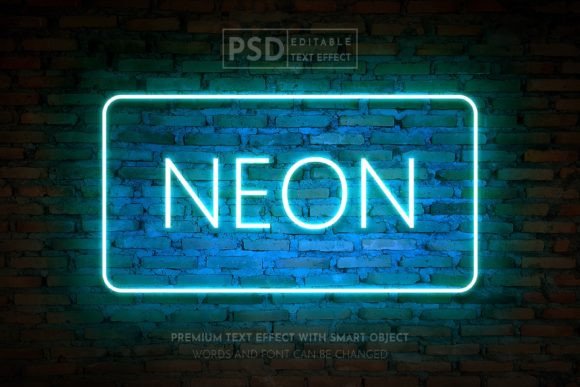
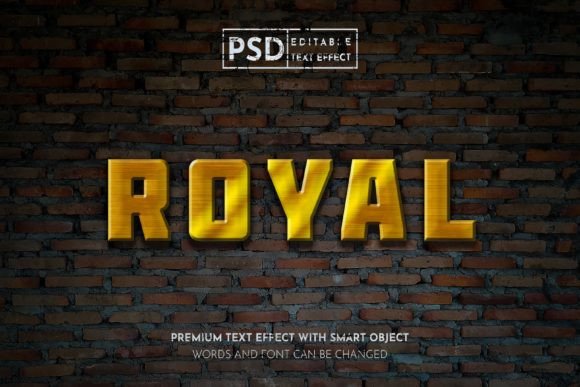
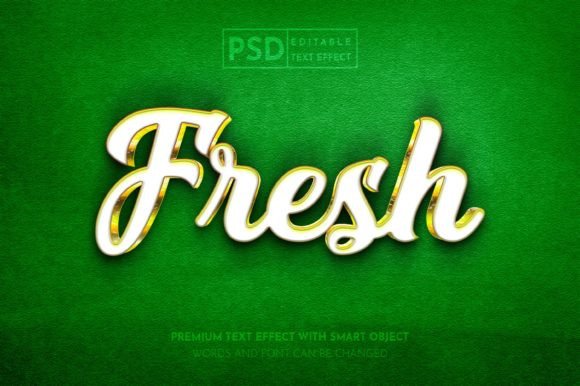
The core value of the Fresh Editable Text Effect lies in its flexibility. Unlike standard raster images that require complex masking or rebuilding when text changes are needed, this asset is built on a layered structure within Adobe Photoshop. The text effect color mode is set to RGB, ensuring optimal vibrancy and clarity for digital displays. This makes it particularly suitable for web designs, social media promotions, and digital publications where screen-based viewing is the primary context.
When you download this asset, you receive both PSD (Photoshop Document) and JPG files in the main folder. The inclusion of the PSD file is critical because it retains all layer information, smart objects, and adjustment layers. This allows you to easily edit all elements and change your text without losing the intricate styling, shadows, gradients, or textures that define the "fresh" look. For creators who need to produce multiple variations of a design—such as different headlines for A/B testing on Instagram or Twitter—this editability transforms a hours-long task into a matter of minutes.
Integration into Social Media and Digital Marketing Workflows
Social media platforms like Instagram, Facebook, and Twitter demand a constant stream of fresh, eye-catching content. Marketers and content creators often struggle with the balance between quantity and quality. Using a pre-designed text effect allows you to maintain a consistent visual identity while rapidly producing new posts.
Consider a typical weekly content calendar. You might need to create quote graphics, announcement banners, and promotional offers. By establishing the Fresh Editable Text Effect as a template, you can streamline this process. Before starting your weekly batch creation, open the PSD file and identify the smart object layer containing the placeholder text. Double-clicking this layer opens a new window where you can type your specific copy. Upon saving and closing this window, the main document updates automatically, applying the complex effects to your new text.
This method ensures that every post, whether it is a subtle update or a bold promotion, shares the same typographic treatment. Consistency builds brand recognition. Furthermore, because the effect is optimized for RGB color spaces, the colors you see on your monitor will closely match what users see on their devices, reducing the risk of dull or washed-out visuals that can occur when using print-oriented CMYK settings for digital work.
Application in Publication and Event Promotion
Beyond social media, this text effect is highly effective for broader publication promotions such as flyers, posters, magazines, and event papers. In these contexts, the headline is often the first element a viewer notices. A well-executed text effect can convey the tone of the event or publication instantly—whether it is energetic, elegant, modern, or playful.
For event organizers, time is often a scarce resource. When promoting a conference, workshop, or local gathering, you may need to update dates, speaker names, or ticket information frequently. Having an editable PSD allows for quick iterations. You can adjust the text to reflect last-minute changes without needing to redesign the entire poster from scratch. This agility is crucial in dynamic environments where information evolves rapidly.
Moreover, the high-resolution nature of the source files ensures that when these designs are printed for physical distribution, the text remains crisp and legible. While the primary color mode is RGB for digital use, Photoshop allows for easy conversion if physical printing is required, though it is always best to check with your printer regarding specific color profile requirements. For most digital-first campaigns, however, the RGB format provides the widest gamut of colors, making your headlines pop against busy backgrounds.
Technical Considerations and Best Practices
To get the most out of the Fresh Editable Text Effect, it is important to understand some technical basics. First, ensure you have a compatible version of Adobe Photoshop. While newer versions offer enhanced smart object capabilities, most modern iterations of the software will handle the file structure effectively.
Organization is key. When you open the PSD file, take a moment to review the layer panel. Layers are typically grouped logically, with folders for effects, background, and text. Renaming layers or groups as you work can prevent confusion, especially if you are handing off the file to another designer or returning to it after a break.
Font compatibility is another critical factor. The effect may rely on specific fonts to achieve its intended look. If the original font is not installed on your system, Photoshop will substitute it with a default font, which may alter the spacing and overall aesthetic. Always check the included documentation or readme file for a list of required fonts. If you wish to use a different font, ensure it has similar weight and characteristics to maintain the integrity of the effect. You may need to adjust kerning or tracking slightly to fit the new typeface within the existing design constraints.
Color management should also be considered. Since the file is in RGB mode, it is ideal for screens. If you are incorporating this text effect into a larger composition that includes photographs or other graphics, ensure that all elements are balanced in terms of brightness and contrast. Use adjustment layers such as Curves or Levels to harmonize the text with the background, ensuring that the headline remains readable and visually dominant.
Enhancing Efficiency Through Template Creation
One of the most powerful ways to use this asset is to turn it into a master template. Instead of editing the original file directly for every project, save a copy as a new template. This preserves the original asset for future use and allows you to build a library of variations. For example, you might create one template for Instagram square posts, another for Twitter headers, and a third for Facebook cover images. Each template can have the text effect positioned and scaled appropriately for the specific platform dimensions.
This approach supports long-term efficiency. As your brand or project evolves, you can update the master template with new colors or slight stylistic tweaks, and these changes can be propagated across all your derivative files. This level of organization reduces errors and ensures that your visual communication remains coherent across all touchpoints.
Conclusion
The Fresh Editable Text Effect is more than just a decorative element; it is a strategic tool for enhancing productivity and visual impact. By integrating this editable resource into your design workflow, you can achieve professional-quality results with greater speed and consistency. Whether you are crafting social media posts, designing event flyers, or laying out digital magazines, the ability to quickly customize high-quality typography allows you to focus on the content and strategy behind your designs. Embrace the flexibility of editable PSDs, respect the technical nuances of RGB color modes, and organize your files for maximum efficiency. In doing so, you elevate not just your individual designs, but your entire creative process.